
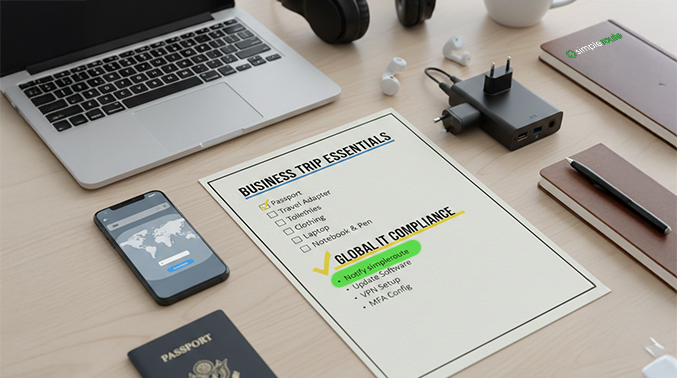
Planning a trip abroad? Whether heading to a conference or working remotely from a beach in Portugal, international business travel security should be at the top of your packing list.
Many travelers encounter “digital roadblocks” that can be avoided with a simple pre-flight check. Here is why a travel IT checklist is a good idea and how to ensure data stays secure across borders.
Why Prioritize Travel IT Compliance?
Traveling outside your home country introduces unique cybersecurity risks. From unsecure airport Wi-Fi to strict “Geoblocking” policies, staying productive requires more than just a passport. If a company uses Conditional Access policies, then logging might be automatically blocked when trying to connect from a foreign IP address.
Four Essential Steps for Secure Remote Work Abroad
1. Update Your Multi-Factor Authentication (MFA)
Many users rely on SMS-based codes for Multi-Factor Authentication. However, if you swap your SIM card or don’t have an international roaming plan, you’ll be locked out of your accounts. simpleroute recommends switching to app-based authenticators (like Microsoft Authenticator) before you leave.
2. Configure Your VPN for Remote Access
Public Wi-Fi is a goldmine for hackers. Using a Virtual Private Network (VPN) is non-negotiable for secure remote access. We ensure your VPN is fully updated and compatible with your destination’s infrastructure to prevent data leaks.
3. Notify simpleroute Early (The Lead-Time Factor)
IT security isn’t an “instant fix.” To ensure a seamless experience, ample lead time is needed to:
- White-list your destination in your security firewall.
- Verify that your devices meet IT compliance standards.
- Ship any necessary hardware, like international power adapters or backup security keys.
4. Device Hygiene and Physical Security
Before you head to the airport, ensure all software patches and operating system updates are installed. While traveling, never leave your laptop in checked luggage or unattended in public spaces.